
StaffWars
TMI Media, LLCEducation
3.956.00 Reviews
- Version
- 1.92
- Installs
- 10.00K
- Age Rating
- Everyone
Screenshots
Our Review of StaffWars
 Analysis by Appyee
I like the idea of a music-learning app that can be passed around at home without turning practice into another long lesson. StaffWars makes note reading the focus: instead of asking everyone to work through a page of exercises, it gives players a quick challenge built around recognizing notes. That makes it easy to imagine a sibling taking a turn after a music lesson, or a parent trying a few rounds while dinner is nearly ready. The shared-device appeal is real, though I’d treat it as a handy practice activity rather than a complete teaching plan.
One device, different learners
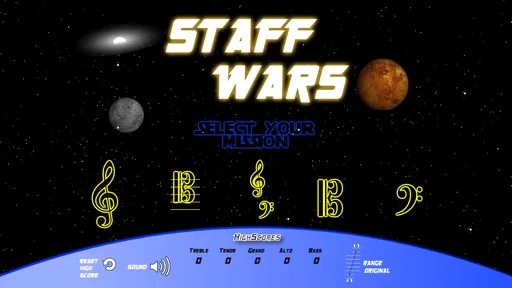
The game’s short, score-focused format suits a household where people have different levels of musical experience. A beginner can concentrate on a familiar clef, while someone who already reads music can use another clef to keep the exercise relevant. Because the central task is note identification, a turn can be brief and self-contained; nobody needs to finish a lengthy course before handing the phone to the next person.
That convenience has a trade-off. A shared high score or visible progress can make practice feel playful, but it may also turn learning into a comparison between people with very different backgrounds. I’d encourage each player to treat their own earlier attempts as the useful benchmark. A child who is just learning the staff and an adult who has played an instrument for years are not starting from the same place, and a score alone cannot explain why one note remains difficult.
For a practical routine, I’d pick one clef for a short session, then stop before speed becomes the only goal. If a player is guessing rapidly, slowing down and naming the note before tapping can make the round more useful. That small change turns the game into an active recall exercise rather than just a reflex test, without needing extra materials or a complicated setup.
Keeping practice separate from account sharing
On a family or classroom device, it helps to decide in advance whose session is whose. The app is centered on note-reading play, not on coordinating multiple learners, so I wouldn’t assume that a shared device automatically gives everyone a distinct record of progress. If separate progress matters, a simple household routine—one person plays at a time and notes their own goal elsewhere—avoids confusing a group score with individual improvement.
This is also a good reason to agree on a turn-taking rule before opening the game. A younger player might want to keep going after a strong round, while another person is waiting. A timer set outside the app or a fixed number of turns can keep things friendly. That is not a special app feature; it is just a low-friction way to make a shared practice tool work for several people.
When the device belongs to a parent, teacher, or another adult, I’d keep the usual device-level boundaries in place and let the adult handle downloads and purchases. The app is paid, so that matters more than it would with a free activity. The listed price is $1.99, and that is a one-time decision to consider before handing a child the device; I would not leave a young learner to manage store choices independently.
Where it fits alongside lessons and other tools
StaffWars works best as a supplement to an instrument lesson, a printed exercise, or a beginner’s music book. Those alternatives can explain notation, rhythm, key signatures, and how notes connect to actual playing. This app’s strength is narrower: it gives repeated practice recognizing notes under a little time pressure. If the learner already understands the basics but hesitates when reading, that focused repetition is useful. If they do not yet know how the staff works, a teacher or a slower visual lesson is a better first step.
Compared with a flashcard app, the game adds pace and a playful screen, which may make repeated drills less dull. Compared with a full music-learning course, it offers less breadth and less explanation. I would not choose it to teach an entire instrument or replace feedback from a teacher. I would choose it for a five-minute warm-up before piano practice, or for a quick review when there is no sheet music nearby.
There is a useful balance to strike between speed and accuracy. The game rewards quick recognition, but real sight-reading also involves keeping a steady rhythm and looking ahead. A player can do well at identifying isolated notes here and still need practice reading a whole measure in context. I’d use the game to build familiarity, then return to actual notation to check whether that recognition transfers.
Who is likely to get the most from it?
I can see this being a good fit for a beginner who already has some introduction to the staff and wants a more lively way to review. It may also suit an adult returning to music after a break, especially if the goal is refreshing treble, bass, or alto clef rather than studying theory from scratch. The ability to focus on a specific clef gives practice a clear purpose: choose the one that causes hesitation instead of spending every session on what already feels easy.
It is less suitable for someone looking for detailed explanations, composition tools, ear training, or a structured course with lessons that build step by step. It is also not the best choice if a learner dislikes timed challenges or gets discouraged by scores. In those situations, quiet flashcards, written exercises, or direct guidance from a music teacher may feel more supportive. The useful question is not whether a game makes practice fun for everyone, but whether this particular kind of quick note-recognition challenge matches the learner.
StaffWars is an education app from TMI Media, LLC. It has a 3.9 average from around 200 ratings, with over 10,000 installs. It is rated Everyone, costs $1.99, and its current version is 1.92; it runs on Android 5.0 or later. Those details make it a modestly established paid option, rather than a free utility I’d install casually for every child. I’d first consider whether someone in the household will use clef practice often enough to justify buying a dedicated app.
Ever find yourself tapping away at your phone, looking for something that’s both fun and educational? Well, let me introduce you to StaffWars. If you’re a music enthusiast or someone trying to step up their note-reading skills, this app might just be your new best friend. I’ve spent some time fiddling around with it, and I’m here to spill the tea on all things StaffWars.
Getting Started with the Game
Alright, so jumping right into StaffWars, the setup is pretty straightforward. You download it, open it, and you’re greeted with a simple yet inviting interface. No clutter, no confusion—just a clean slate ready to teach you the ropes. The app aims to help users learn to read music more effectively, and it does this by turning learning into a game. Who doesn’t love a bit of healthy competition, even if it’s just against yourself?
The game is designed for all ages, which is fantastic. Whether you’re a kid just starting out with music lessons or an adult looking to brush up on your skills, there’s something in here for you. The app starts you off with a quick tutorial that’s easy to follow. It’s like having a music teacher in your pocket, but without the scary exams.
Gameplay and Features
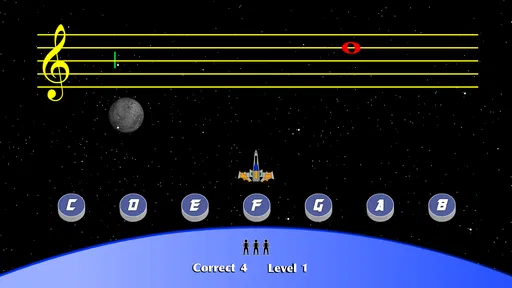
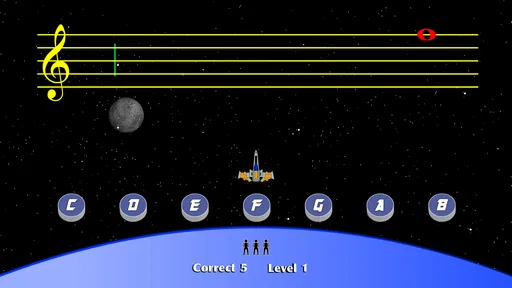
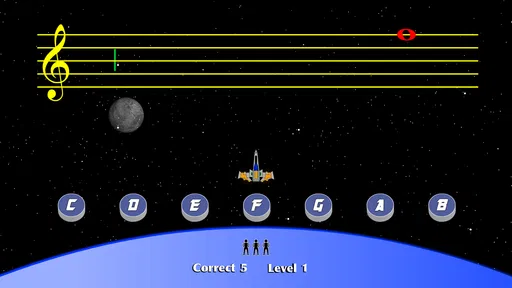
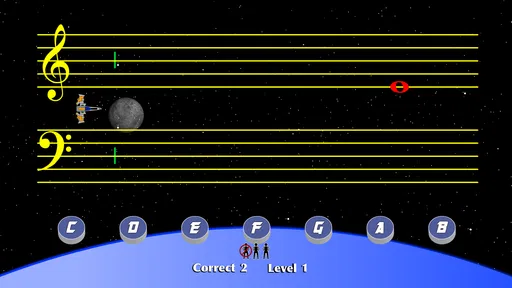
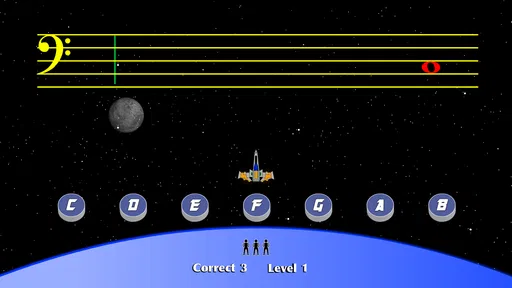
Once you dive into the actual gameplay, you’ll notice it’s all about identifying notes as quickly as possible. The faster you are, the higher your score. You’ve got spaceships zooming across your screen, and your task is to tap the right note before they get away. It’s simple, but boy, does it get addictive!
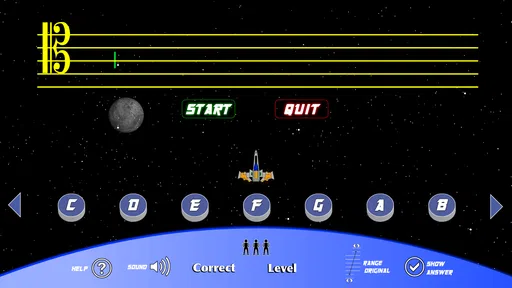
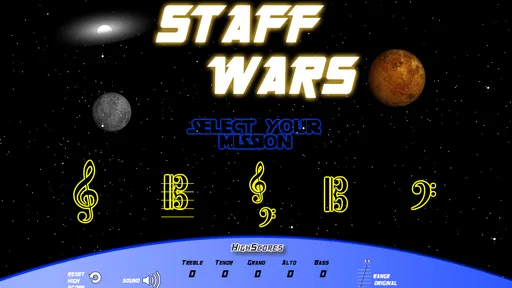
There are different levels to choose from, so you can start easy and work your way up as you improve. You can also select which clef you want to practice: treble, bass, or alto. This customization is a huge plus because it allows you to focus on the areas you need the most help with. For instance, if you’re struggling with bass clef, you can spend more time there without feeling rushed.
One feature I particularly enjoyed is the ability to track your progress. The app keeps tabs on your scores, so you can see how you’re doing over time. It’s incredibly satisfying to watch those scores climb as you get better and better.
Why You’ll Love It
So, why is StaffWars worth your time? Firstly, it turns learning into a fun and engaging activity. No longer are you stuck staring at a page of sheet music feeling overwhelmed. Instead, you’re playing a game that challenges you and keeps you coming back for more.
Additionally, the app’s design is user-friendly. You won’t find yourself lost in a sea of menus or settings. Everything is where you expect it to be, making navigation a breeze. Plus, the graphics are simple yet effective, allowing you to focus on what really matters: those notes!
Another thing I appreciate is the app’s versatility. Whether you’re using an Android or iOS device, the experience is equally seamless. The developers have done a great job ensuring that the app runs smoothly across different platforms, which is a big win in my book.
A Few Things to Consider
Of course, no app is without its quirks. While StaffWars is generally fantastic, there are a couple of things worth mentioning. Firstly, if you’re someone who’s looking for advanced theory lessons, this might not be it. The app is more about reinforcing note recognition than diving deep into music theory.
Also, while the graphics are quite charming, they might be a bit too simplistic for some users who crave a more visually stimulating experience. But honestly, that’s more of a personal preference than a flaw.
The Final Note
All in all, if you’re someone who wants to improve your note-reading skills in an enjoyable way, StaffWars is definitely worth a try. It’s a fantastic blend of education and entertainment, wrapped up in an intuitive package. So, whether you’re a budding musician or just someone who loves a good challenge, give it a whirl. Who knows? You might just become a note-reading ninja!
Ready to embark on your musical journey? You can find StaffWars available for download on both Android and iOS platforms. Go ahead, and let the note battles begin!
A practical household verdict
In a shared home, I’d use this as a small, repeatable practice station rather than a communal course: one learner chooses a clef, plays a few rounds, and then gives the device to the next person. That setup makes the game easy to fit around lessons and chores, while avoiding the expectation that one score represents everyone’s ability. For a household already working on reading music, the focused drill can add variety; for a household that needs explanations and teaching from the ground up, a book, teacher, or slower lesson-based app is the better starting point.
My main advice is to connect each session to a real musical task. If a learner keeps mixing up notes in a bass-clef passage, practice that clef in the game and then look for those same notes on the instrument or page. If the notes are already familiar, move to sheet music rather than chasing a higher score for its own sake. Used that way, StaffWars has a clear role: it helps make note names quicker to recognize, while leaving the broader work of musicianship to lessons and playing.
For a family deciding whether to install it, the key questions are simple: does someone need note-reading practice, will they enjoy a fast game format, and is a paid app preferable to free paper drills or a broader learning resource? If the answers line up, I think StaffWars is an approachable choice for short sessions across ages. If they do not, there is little reason to force it into the routine. Its value is in a specific, practical job—not in replacing every other way of learning music.
Verdict
Strengths of StaffWars
- Engaging gameplay for music learners.
- Variety of levels for different skills.
- Intuitive interface and design.
- Quick to load and smooth to play.
- Educational focus on music theory.
Limitations of StaffWars
- Limited instrument options available.
- Requires internet for full features.
- Ads can be distracting at times.
- Lacks multiplayer or social features.
- No offline mode for practice.
Similar Picks in This Category
View All
Duolingo: Language Lessons
Duolingo4.7

Google Classroom
Google LLC2.8

Unacademy: Learn & Crack Exams
Unacademy3.2

Bible App for Kids
Life.Church4.4

Cake - Learn English & Korean
Cake Corp.4.7

Brainly: AI Homework Helper
Brainly4.5
Frequently Asked Questions
What is the main objective of StaffWars?
StaffWars is an educational game designed to help music students improve their note reading skills in a fun and interactive way. Players must identify musical notes as they appear on the staff, with increasing speed and difficulty as they advance, making it an engaging tool for learning.
Is StaffWars suitable for all ages and skill levels?
Yes, StaffWars is designed for musicians of all ages and skill levels. Whether you are a beginner just learning to read music or an advanced musician looking to sharpen your skills, the game adjusts its difficulty to match your level, ensuring a beneficial experience for everyone.
What platforms is StaffWars available on?
StaffWars is available for both Android and iOS platforms, making it accessible to a wide range of users. You can download it from the Google Play Store or the Apple App Store, ensuring compatibility with most smartphones and tablets.
Does StaffWars offer any customization options for learning?
Yes, StaffWars provides various customization options to tailor the learning experience. Users can choose different clefs, adjust the speed of note appearances, and select specific note ranges. This allows players to focus on areas they find challenging, enhancing their learning efficiency.
Are there any in-app purchases or ads in StaffWars?
StaffWars is generally ad-free, providing an uninterrupted learning experience. However, depending on the version, there may be in-app purchases that offer additional features or content. It’s advisable to check the app store listing for specific details on pricing and available features.
